Free standalone app
Spectator by BetterDocket
Meeting notes that never leave your computer.
Spectator records your microphone and system audio, then transcribes and summarizes on your own Mac or PC. No bot joins the call. Cloud AI is off unless you turn it on.
Built for law firms and the sensitive client conversations at the heart of legal practice. Free to use, with no BetterDocket account required.
Download
Version 0.1.9 · released October 15, 2026
What’s new in 0.1.9
This release picks transcription and summary models to suit your computer.
- Setup now looks at your computer's memory and graphics and chooses the models for live captions, saved transcripts, speaker names and summaries, with a single download button. Model names and memory details stay under the advanced options.
- If you change models yourself, Settings offers "Use recommended" to return to the suggested set.
- A meeting left stuck in recording after a crash or interrupted stop now shows as Interrupted in Meetings. Any audio it captured is recovered and processed, and Delete and Re-process work on it again.
- On macOS, the Allow buttons for Screen Recording and Accessibility now open the matching privacy pane in System Settings. If Spectator is already listed there but still can't record, remove it from the list and add it again.
macOS 14 or later on Apple Silicon, or Windows 10/11 (64-bit). See system requirements. Installers are signed by BetterDocket.
System requirements
Spectator does all of its work on your own computer, so a faster computer gives you better notes, sooner. Setup checks your computer and picks what fits; nothing to configure.
| Minimum | Recommended | |
|---|---|---|
| Mac | Any Mac with an Apple chip (M1 or later) running macOS 14 or later, 8 GB of memory | 16 GB of memory or more; 24 GB for the highest quality notes |
| Windows PC | Windows 10 or 11 (64-bit), a 64-bit processor, 8 GB of memory | 16 GB of memory or more and a dedicated graphics card |
| Free disk space | 5 GB | 15 GB, plus about 250 MB for each hour of meetings you keep |
Intel-based Macs and Windows on ARM are not supported. Internet access is only needed to install, update, read calendar feeds, or use the optional cloud AI providers.
Updates respect your control
- Spectator checks for new versions on a schedule you pick, or only when you ask.
- The check sends no account, device or usage information.
- Release notes appear in the app before anything downloads, and installing always needs your confirmation.
- Downloads are verified against BetterDocket’s signing key before they are installed.
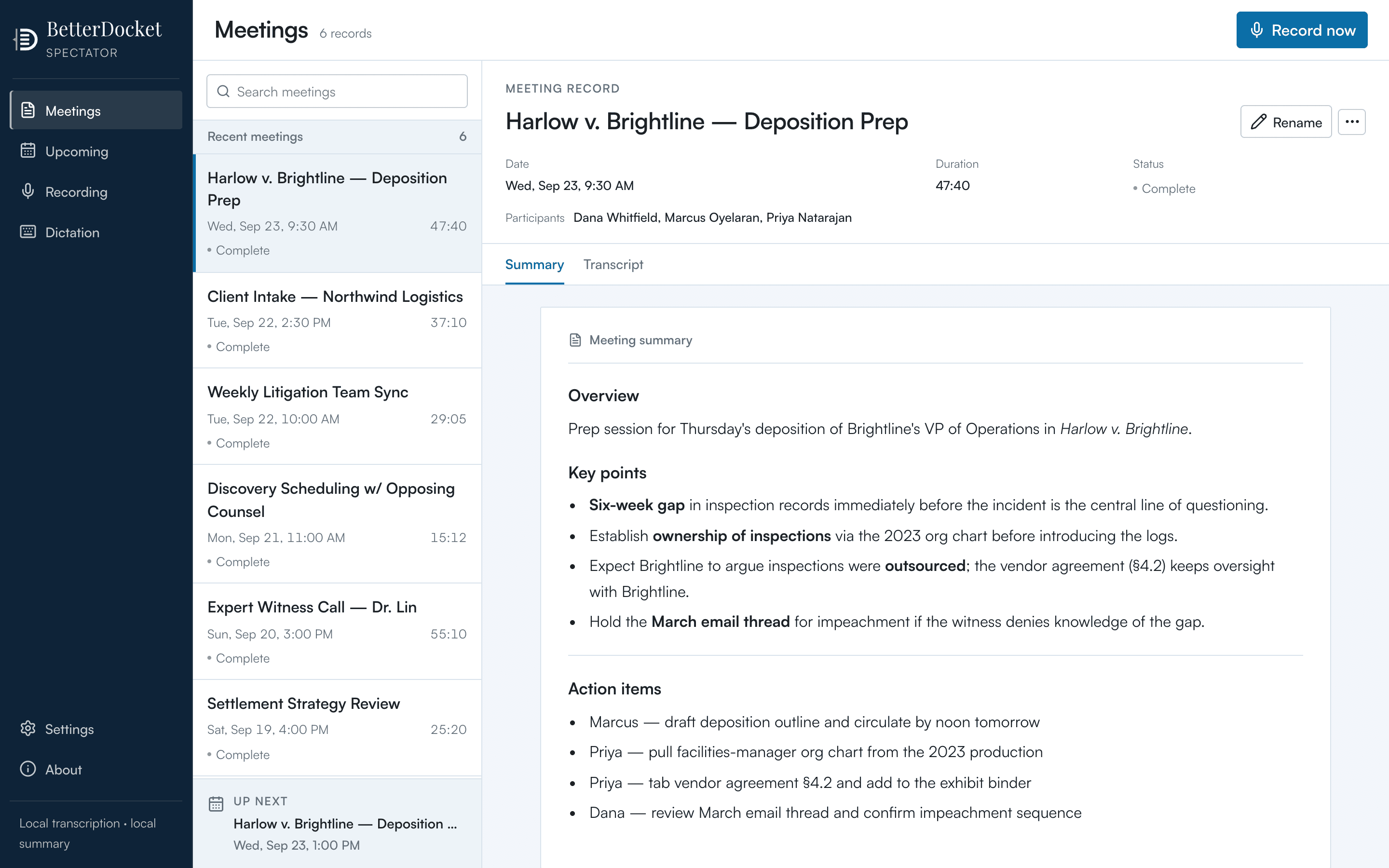
See Spectator in action
Review meeting highlights and action items.