BetterDocket for estate planning

Client Communication Software for Estate Planning Attorneys

Estate planning stalls on client homework: the asset list that never arrives, the deed nobody can find, the beneficiary details that come in over four emails. BetterDocket collects what each plan needs and keeps clients moving toward signing.

The problem

Where estate planning time actually goes.

Plans stall waiting on client information

Drafting is the fast part. Waiting for account lists, property deeds, and beneficiary information is what stretches a two-week plan into a two-month one.

Quiet drafting periods read as silence

While you draft, the client hears nothing — and some conclude nothing is happening. The follow-up call to reassure them costs more time than the update would have.

Clients of every tech comfort level

Estate planning clients range from professionals to retirees who distrust attachments. Whatever you use has to be simpler than email, not another system to learn.

How BetterDocket helps

The follow-up handles itself.

Document requests with reminders that do the chasing

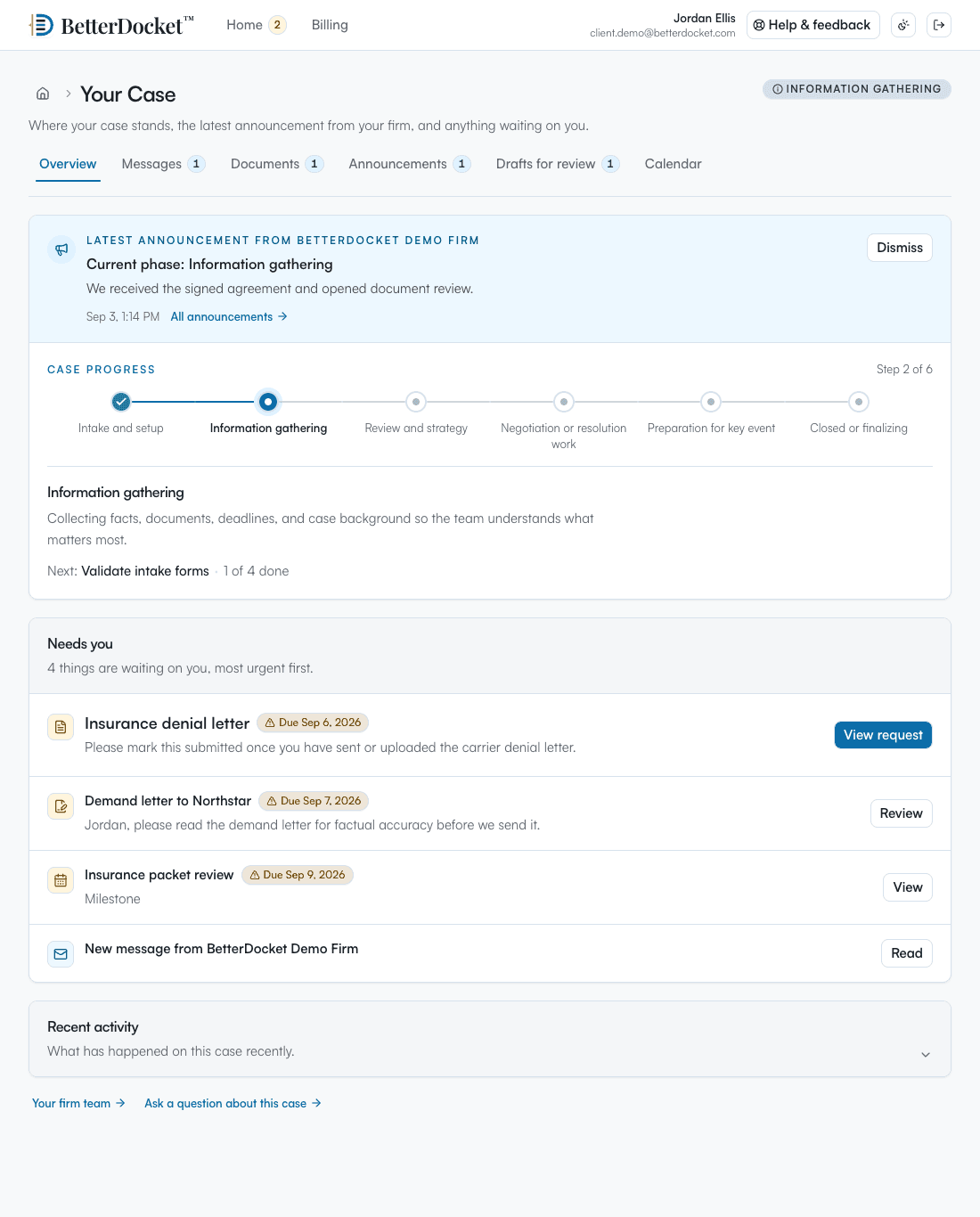
Request the asset list, deeds, and policies through the matter, each with a due date. Clients upload directly into the case, daily reminders nudge automatically, and you see at a glance what is still outstanding.

A status update that fills the quiet

Post “drafts in progress, review meeting next” once — every client on the matter sees it in the portal. Templates make the routine updates one click.

A portal simple enough to not need explaining

Clients follow an invitation link in the browser — no app store, nothing to install. They see status, next steps, and what is asked of them, and they can upload from a phone photo.

Questions

Frequently asked

Can clients review draft documents in BetterDocket?

Yes. You can send a numbered draft version for review; the client approves or requests changes, with a note or a marked-up copy, and can flag that they would like a call. Work-in-progress versions stay firm-only until you send them.

Will older clients manage the portal?

The portal is a single private page in the browser showing status, next steps, and open requests — no installation, no account maintenance. Uploading a document works from a phone camera. If a client still prefers paper, your firm can upload on their behalf.

Does BetterDocket assemble wills or trusts?

No. It carries your drafts, your updates, and your document requests, but document assembly and legal drafting stay in the tools you already use. BetterDocket is the communication layer around the work, not the work itself.

Spend less time on client follow-up.

Keep clients informed, collect what each matter needs, and protect more time for legal work.