Know who owns what
Assign Cases, set leads, and give every task an owner and a due date. The Client sees the team; the team sees the queue.
BetterDocket for small law firms
In a firm of two to ten people, the expensive failures are handoffs: the client who called the attorney because the paralegal's email never got a reply, the request nobody realized was still open, the hearing only one person knew had moved. BetterDocket gives the team one queue, one portal per Client, and a clear owner on every piece of work.
The problem
A client message arrives, three people see it, and each assumes someone else will answer. Or two people answer differently. The client notices, and the attorney ends up fielding the call anyway.
The paralegal knows which disclosures are still out. The associate knows the hearing moved. The receptionist knows the client is upset. Until someone asks the right person, the firm does not know what the firm knows.
Adding a part-time clerk or a second paralegal should not cost another license. Practice-management suites make headcount a billing event, so small firms leave staff off the system and the gaps come back.
A week in BetterDocket
Every step is something the product does today, for every member, on every device.
Add the attorney and the paralegal to the matter, set a lead, and filter the portfolio by who is on what. Mark a sensitive matter restricted and only its assignees and Firm owners can open it, enforced in the database rather than hidden in the interface.
See howToday ranks the Cases each member is assigned to by what needs attention and why. The firm-wide task queue lists every open task across every Case in urgency order, and each Case has its own board: to do, in progress, done, with an owner and a due date.
See howDocument Requests and Status Updates go out with the Firm's name, logo, and contact details. The Client sees the team on the portal, with photos and client-facing titles, and knows who to reach.
See howPer-client read receipts show whether the Client saw the update. Notifications reach the members assigned to the Case, each deep-linking to the exact screen, and each member picks their own roundup schedule: hourly, daily, or weekly, grouped by Case.
Workstream templates own the phases and tasks for each kind of matter. Edit a template, see a row-by-row diff before you publish, and restore any prior version. Each new Case takes its own snapshot, so editing a template never reaches into open matters.
See howOwners and admins manage invoicing by default. Give a staff member the invoicing capability and they get a narrow Firm-wide billing view, including invoices for restricted Cases, without gaining access to those Cases.
See howInvite a teammate from the dashboard, or ask the copilot to draft the invitation for an owner to approve. There is no per-seat charge; the Firm pays one base fee plus one rate per open Case.
Built for your firm
Assign Cases, set leads, and give every task an owner and a due date. The Client sees the team; the team sees the queue.
Versioned templates seed the same phases, tasks, and update wording on every matter of a kind, no matter who opens it.
Read receipts per Client, notifications per member, and stale-update detection when a Client has gone quiet too long.
Restricted access stays narrow and is enforced in the database. Billing staff can still invoice a restricted Case without reading it.
Actual product
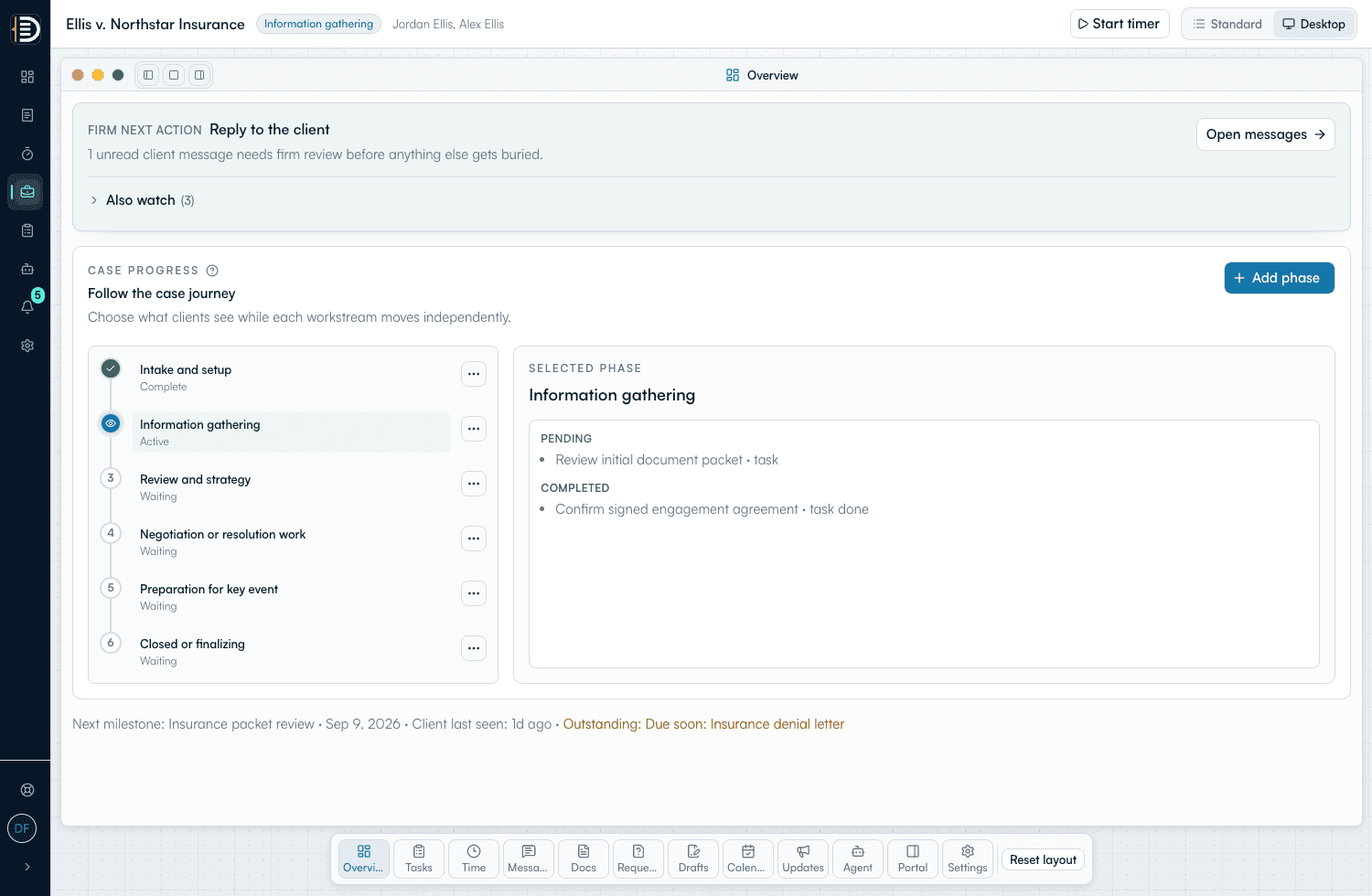
Phases, tasks, documents, drafts, messages, time, and who is assigned, all in one place.
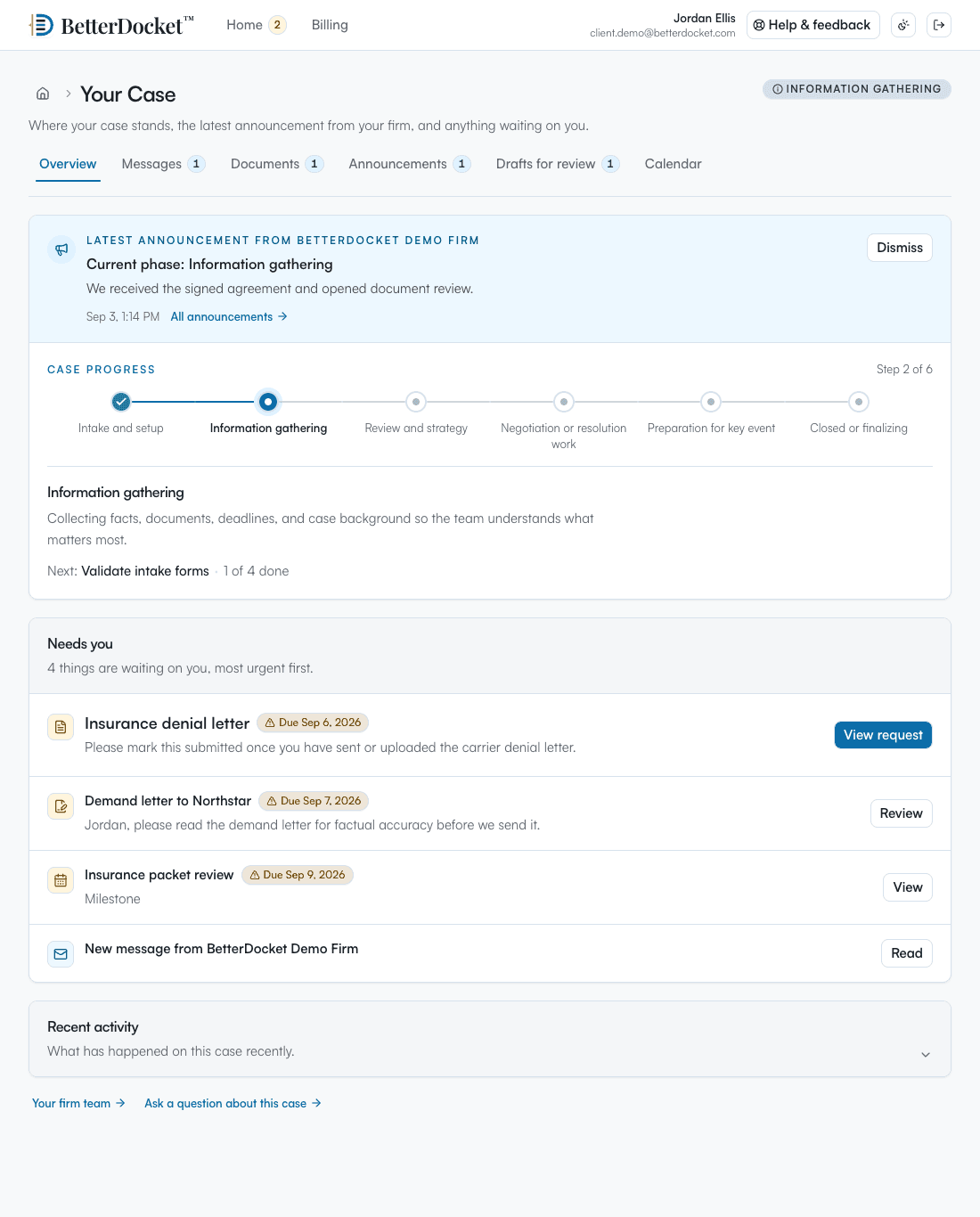
The same phases the team sees, in plain English, with the latest update and open requests.
Deliberately focused
BetterDocket organizes the administrative work around a matter. The legal work, and the tools you already use for it, stay where they are.
Keep reading
Stop reconstructing priorities from inboxes. An attention queue built from four signals — unread, pending, stale, upcoming — tells you where to look.
Read the guideTexting is fast but unmanageable; email is universal but untrackable; a portal is where case communication should live. How the three actually divide.
Read the guidePost one visible status update per milestone in a place clients can check themselves — a portal — instead of returning each call. Here is the playbook.
Read the guideThere is no per-seat charge. The Firm pays $10 per month plus $1 per open Case per month, prorated by day, with unlimited members and every feature included.
Yes. Mark a Case restricted and only its assignees and Firm owners can open it. Notifications for restricted Cases go only to explicit assignees. A member with the invoicing capability can bill a restricted Case without reading it.
Messages are attached to the Case, every member assigned to it sees the same thread, and each Case has a lead. Tasks carry an owner. Read receipts and notifications show what has already been handled.
No. Each Case takes its own snapshot of the template when it is accepted. Editing or restoring a template only affects Cases opened afterwards, and you can see a row-by-row diff before publishing.
The Firm's name, logo, and contact details on every email, and on the portal the members you have made client-facing, with photos and titles. Internal notes, folders, and drafts in progress never appear.
One queue, one owner per task, one portal per client. No per-seat fees.
14 days. No card.