Clear next steps
The portal shows the client where the matter stands and exactly what they need to do next, in plain language. The process stops being a mystery they call you to solve.
BetterDocket for employment law
Most employment clients have never been in a legal matter. Every stage needs explaining, the evidence lives on their phone, and the agency stage can sit for months. BetterDocket gives them one place to see where the charge stands, upload what you asked for, and read what comes next, so the explaining happens once instead of by phone, twice.
The problem
A wrongful termination or harassment claim is usually the client's first contact with the legal system. Without a place to point them, every stage is explained by phone, and then explained again when a spouse asks.
Pay stubs, schedules, texts, emails, photos of postings, the handbook. The case is built from what the client has, and it arrives as forwarded fragments across weeks, from two phones and a personal email.
EEOC and state agency stages can sit for months. Clients hear the silence as neglect, and the reassurance calls land on your team, who have nothing new to say.
How it runs
Stage by stage, from the first call to the closed file, each step is something the product does today.
Open a Prospect Case at the intake call and request the termination letter, the last pay stub, and the key messages. The prospect sees a single documents page. Nothing bills until you accept.
See howYour template seeds Intake, Agency charge, Investigation, Right to sue, Litigation or settlement. Each phase has a plain-English explanation in the portal, so the process stops being a mystery the client calls you to solve.
See howPay records, schedules, performance reviews, screenshots of texts, the handbook. Each is a Document Request with instructions and a due date. Phone-camera uploads land against the right request, and daily reminders handle the follow-up.
See how“Charge filed with the EEOC on the 8th. Investigations typically take several months; we will post an update when the agency responds.” One templated Status Update is visible every time the Client checks.
The mediation session, the position-statement deadline, the right-to-sue window. Add them as Key Dates and choose which the Client sees. Clients share availability for interviews without any calendar integration.
Send the agreement as a numbered Draft Version. The Client approves, requests changes with a note or a markup, or flags that they want a call before signing anything.
On hourly matters, log time and issue invoices with reminders from BetterDocket. On contingency, the update feed stands in for the invoice as visible proof of work. Close the Case with a closing note; it archives automatically and stays readable.
See howClient Portal
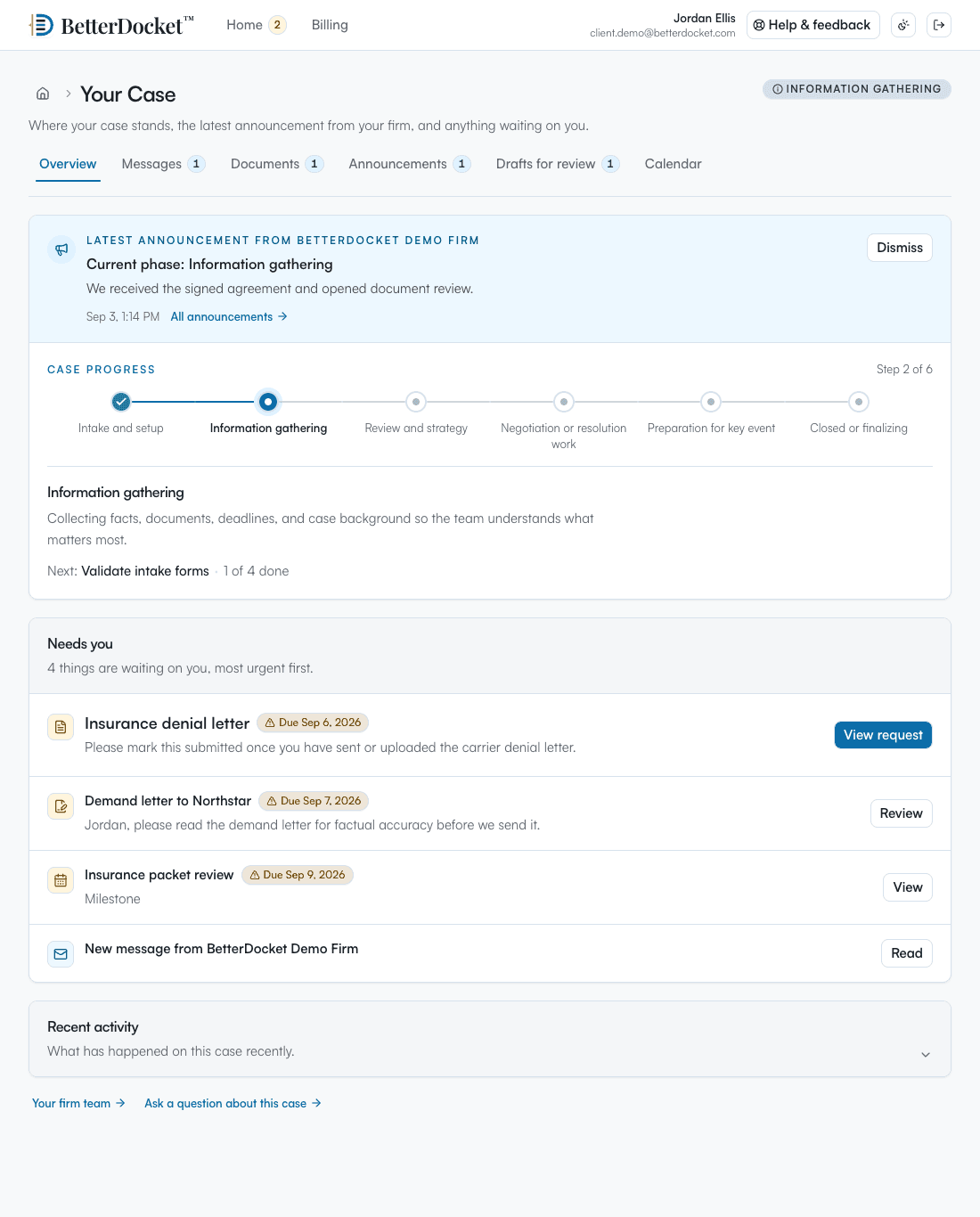
One private page in any browser: the current phase in plain English, the latest word from your Firm, the documents you have asked for, and what happens next. No app to install. Uploads work from a phone camera. Firm-only folders, notes, and drafts in progress never appear here.
Your case
From your firm · today
Your charge was filed with the EEOC on the 8th. Investigations typically take several months. We will post an update the day the agency responds.
What we need from you
Next step
Nothing is needed from you right now. Keep any new messages from the company and upload them here.
Why it fits
The portal shows the client where the matter stands and exactly what they need to do next, in plain language. The process stops being a mystery they call you to solve.
Request the pay records, schedules, and communications through the matter. The client uploads from their phone, everything lands in the Case organized by request, and reminders handle the follow-up.
One templated Status Update shows every time the client checks, instead of being re-delivered by phone. Stale-update detection reminds you when it has been too long.
Screenshots, photos, and forwarded emails land against the specific request each answers, with display names you control, instead of as a forwarding chain someone has to sort.
Deliberately focused
BetterDocket organizes the administrative work around a matter. The legal work, and the tools you already use for it, stay where they are.
Keep reading
Make every request itemized, visible, and self-reminding: one list the client can see, uploads that land in the matter, and automatic follow-up.
Read the guidePost one visible status update per milestone in a place clients can check themselves — a portal — instead of returning each call. Here is the playbook.
Read the guideTexting is fast but unmanageable; email is universal but untrackable; a portal is where case communication should live. How the three actually divide.
Read the guideAccess is scoped to the Firm, Client, and Case at the database layer, and case documents live in private storage behind the same checks. Our security page describes exactly what we do today, and what we do not yet offer, in plain terms.
Yes. Clients upload files, including screenshots and phone photos, directly into the Case, answering the specific request each item belongs to, so the evidence arrives organized instead of as a forwarding chain.
They mark the request “I don't have this” with a note. You see the answer immediately and the daily reminders stop, so you know to look elsewhere instead of waiting on a document that is never coming.
Yes. A business Client works the same way: add the HR lead and the owner as Clients on the Case, request the personnel file and policies, and post updates once for everyone.
No. It performs no legal analysis and drafts no filings. It keeps your client informed, your requests answered, and your matter's communication in one place; the legal judgment stays with your Firm.
Evidence, agency dates, and updates in one place for first-time clients.
14 days. No card.