A checklist the client can finish
Each item in the packet is its own request with instructions. Open versus received is obvious, and the reminders do the follow-up your staff used to do by phone.
BetterDocket for bankruptcy
A consumer bankruptcy cannot be filed until the client hands over six months of pay stubs, two years of tax returns, every bank statement, and a complete creditor list. Clients are embarrassed, overwhelmed, and often already being called by creditors. BetterDocket turns the packet into a checklist they can complete from a phone and tells them, plainly, what happens next.
The problem
Pay stubs, tax returns, bank statements, vehicle titles, mortgage statements, the credit-counseling certificate. Missing any of them delays filing, and the client rarely knows which ones they have already sent.
Bankruptcy clients often avoid contact until something frightening happens. Then they call in a panic about a garnishment notice or a creditor letter, and the answer is the one you gave at the consultation.
The 341 meeting, the financial-management course deadline, the reaffirmation window. Missing one is not an inconvenience. Reminding every client by phone is a job no one has time for.
How it runs
Stage by stage, from the first call to the closed file, each step is something the product does today.
Open a Prospect Case at the consultation and request the last two pay stubs, the most recent tax return, and a list of debts. The prospect uploads from a phone to a single documents page. Nothing bills until you accept the matter.
See howYour template seeds phases the client can follow: Gathering documents, Petition preparation, Filed, 341 meeting, Discharge. Each has a plain-English note in the portal, so “filed” and “waiting for the trustee” read as progress rather than silence.
See howEvery document is a Document Request with exact instructions and a due date: pay stubs for the last six months, bank statements for each account, the credit-counseling certificate. Phone-camera uploads land against the right request, “I don't have this” comes back with a note, and daily reminders continue until the list is complete.
See how“Your case was filed today. Creditors are required to stop contacting you. If anyone does, upload the letter here and we will handle it.” A templated Status Update stays at the top of the portal for the client who needs to reread it at midnight.
Add the meeting of creditors, the course deadline, and any hearing as Key Dates the Client can see. Upcoming client-facing dates surface in your Today queue so no one is reminded too late.
Send the draft schedules as a numbered Draft Version for the Client's review. They confirm the details, request corrections with a note, or flag that they want to walk through it on a call. Your working versions stay Firm-only.
Issue the flat-fee invoice from BetterDocket and record the payment when it arrives; BetterDocket never touches the money. At discharge, close the Case with a closing note the Client keeps; it archives automatically and stays readable.
See howClient Portal
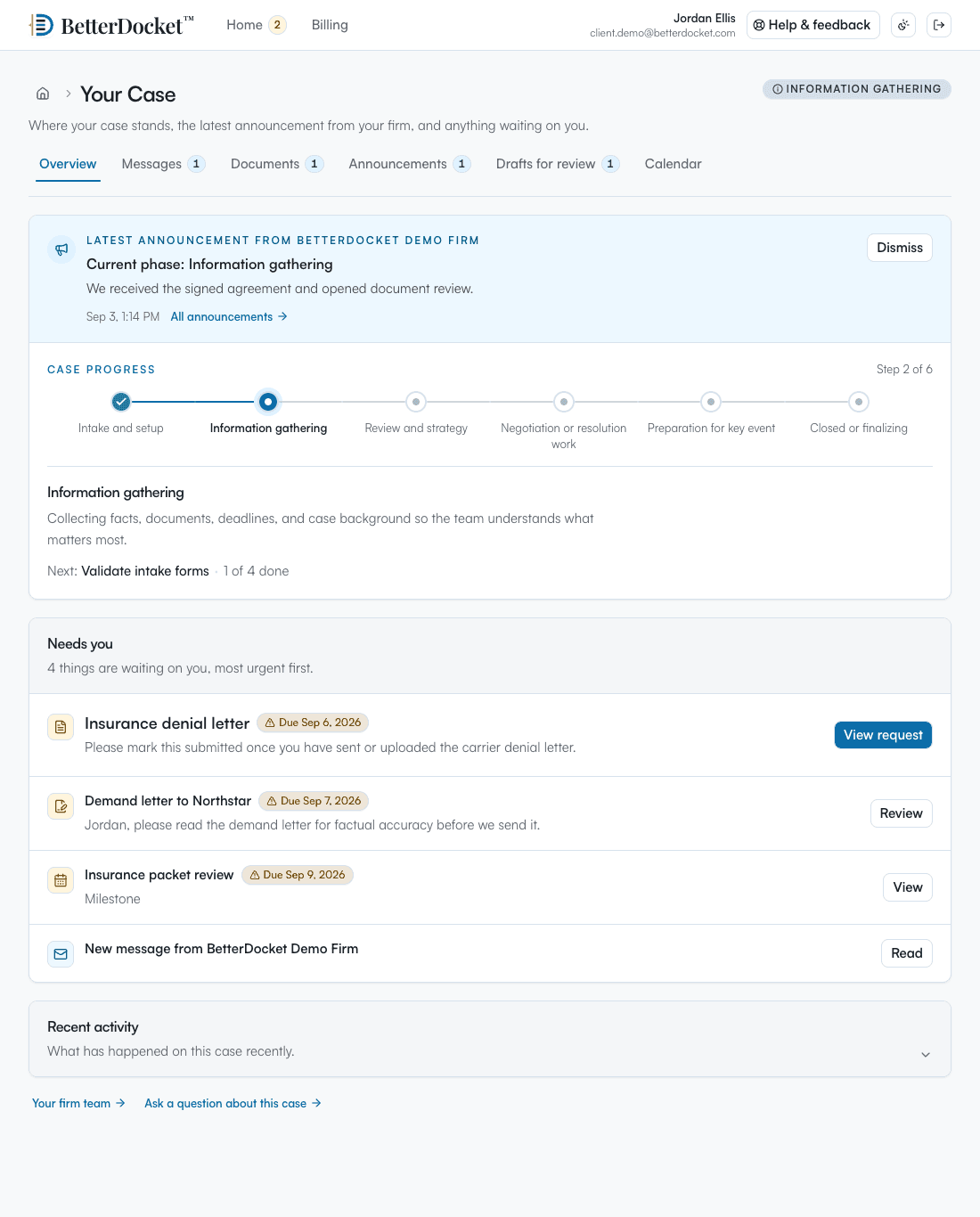
One private page in any browser: the current phase in plain English, the latest word from your Firm, the documents you have asked for, and what happens next. No app to install. Uploads work from a phone camera. Firm-only folders, notes, and drafts in progress never appear here.
Your case
From your firm · today
We have most of your packet. Once the last two items below arrive we can finalize the petition and file it, usually within a week.
What we need from you
Next step
Finish the online credit counseling course and upload the certificate. Then we file.
Why it fits
Each item in the packet is its own request with instructions. Open versus received is obvious, and the reminders do the follow-up your staff used to do by phone.
The latest Status Update sits at the top of the portal. A client who gets a creditor letter can reread what the automatic stay means and upload the letter instead of calling in a panic.
The 341 meeting and course deadlines are Key Dates the Client can see, and upcoming client-facing dates surface in your queue.
High-volume consumer practices pay $10 per Firm plus $1 per open Case, prorated by day, with unlimited staff. Discharged Cases archive automatically at $0.20 per month.
Deliberately focused
BetterDocket organizes the administrative work around a matter. The legal work, and the tools you already use for it, stay where they are.
Keep reading
Make every request itemized, visible, and self-reminding: one list the client can see, uploads that land in the matter, and automatic follow-up.
Read the guidePost one visible status update per milestone in a place clients can check themselves — a portal — instead of returning each call. Here is the playbook.
Read the guideA client portal is a private page where a client sees their case: status, next steps, messages, and requests. What it does, what it isn't, what to look for.
Read the guideYes. The portal works in any browser. A client photographs or downloads a statement and submits it against the specific request it answers. If they email it anyway, your team can drop it into the open request.
Each Document Request reminds the Client daily until it is answered, then stops on its own. A Client who does not have an item marks it “I don't have this” with a note, and that request stops reminding too.
No. It performs no calculations and prepares no forms. It collects the documents, keeps the Client informed, and puts the dates in front of them. Petition preparation and filing stay in the tools you already use.
Yes. Add both spouses as Clients on the Case. Each sees the same status, requests, and dates, and each person's messages and read state stay private from the other.
Close the Case with a closing note. It archives automatically to cheap storage at $0.20 per month and stays readable to your Firm and the Client. Export a complete copy at any time for your own records.
Requests that remind themselves. Dates the client can see.
14 days. No card.