Versioned draft review
Draft Documents live on the Case with numbered versions. Only the versions you send appear to the client. Approvals, change requests, and markups come back attached to the version they are about.
BetterDocket for business and transactional
A transactional matter is mostly drafts and decisions: the operating agreement, the vendor contract, the lease, the buy-sell. Each one goes to the client, comes back with comments from two partners, gets revised, and goes out again, all by attachment. BetterDocket gives business clients a versioned draft review, a request list for what the deal needs, and one place for the whole ownership group to see where things stand.
The problem
Three stakeholders, four drafts, and comments that arrive as reply-alls to the wrong version. Reconciling them is unbilled work, and the client wonders why the agreement is taking so long.
Ownership percentages, the capitalization table, the existing lease, the vendor's paper, the EIN letter. Each formation or transaction has its own list, and someone at the client is always the bottleneck.
The CEO is the client contact, but the other two founders want to know where the agreement stands. Every update gets forwarded, sometimes, and the questions come back to you from three directions.
How it runs
Stage by stage, from the first call to the closed file, each step is something the product does today.
Open a Prospect Case for the new company or the new deal and request the term sheet, the existing agreements, and the cap table. The prospect uploads to a single documents page. Nothing bills until you accept.
See howYour template seeds phases like Information gathering, Drafting, Client review, Negotiation, Execution, Post-closing. Each has a plain-English note in the portal. Repeat matters for the same client start from the same template every time.
See howEach item the deal needs is a Document Request with instructions and a due date, sent to the person at the client who actually has it. Uploads land on the Case organized by request, and daily reminders run until each is answered.
See howUpload the agreement as a numbered Draft Version and send it for review to the stakeholders who need to sign off. Each approves, requests changes with a note or a marked-up copy, or flags that they would rather talk. A new version supersedes the pending review, so there is never a question of which draft is current.
“Draft 3 sent to the other side's counsel. We expect comments within a week; nothing is needed from you until then.” One templated Status Update reaches every Client on the Case, and per-client read receipts show who has seen it.
The signing date, the effective date, the annual-report deadline you have agreed to remind them about. Add them as Key Dates the Clients can see. Clients share availability for the signing without any calendar integration.
Log time or bill a flat fee, issue the invoice from BetterDocket with due-date reminders, and record the payment when it arrives. Share the executed documents to the portal's “From your firm” list, then close the Case. It archives automatically and stays readable for the next time they need it.
See howClient Portal
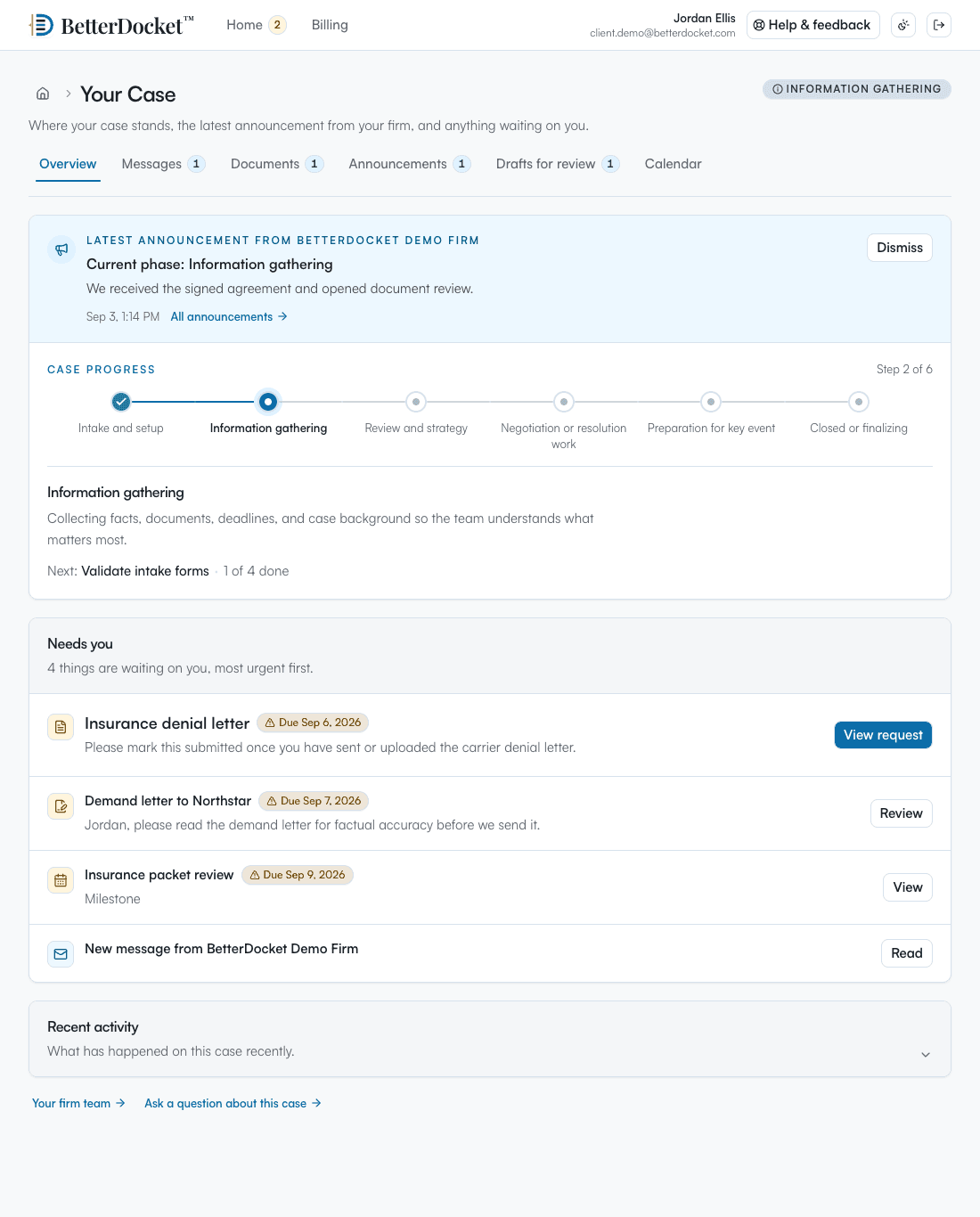
One private page in any browser: the current phase in plain English, the latest word from your Firm, the documents you have asked for, and what happens next. No app to install. Uploads work from a phone camera. Firm-only folders, notes, and drafts in progress never appear here.
Your case
From your firm · today
The operating agreement (v3) is ready for all three members to review. Once everyone approves, we will prepare the signature version.
What we need from you
Next step
Priya still needs to review v3. Signing is tentatively October 21.
Why it fits
Draft Documents live on the Case with numbered versions. Only the versions you send appear to the client. Approvals, change requests, and markups come back attached to the version they are about.
Add each founder or officer as a Client. Everyone sees the same status, drafts, and dates; each person's messages and read state stay private. Ask one of them or all of them for a document.
What the deal needs from the client is a short list with due dates and reminders, and what arrives lands on the Case organized by request.
A client's fifth contract starts from the same template as the first. Closed Cases stay readable, so last year's agreement is a click away when they call about renewing it.
Deliberately focused
BetterDocket organizes the administrative work around a matter. The legal work, and the tools you already use for it, stay where they are.
Keep reading
Post one visible status update per milestone in a place clients can check themselves — a portal — instead of returning each call. Here is the playbook.
Read the guideA client portal is a private page where a client sees their case: status, next steps, messages, and requests. What it does, what it isn't, what to look for.
Read the guideTexting is fast but unmanageable; email is universal but untrackable; a portal is where case communication should live. How the three actually divide.
Read the guideYes. Add each stakeholder as a Client on the Case and send the Draft Version for review to the ones who need to sign off. Each responds separately, and you see who has approved and who has asked for changes.
A Client requesting changes can attach an uploaded marked-up copy along with a note. It lands on the Case against the version it is about. You upload the revised version, and the pending review re-points to it automatically.
No. BetterDocket does not assemble documents or offer legal analysis. It carries your drafts, requests, updates, and dates so the administrative side of the deal runs in one place.
Each engagement is its own Case with its own phases and billing, and closed Cases stay readable to your Firm and the Client. You can filter your Cases by Client, and the Client sees all of their Cases in one portal.
Invoices combine time entries and manual lines, so a flat fee is one line and hourly work flows from timers. Issued invoices are permanent PDFs with due-date reminders. You record payments received elsewhere; BetterDocket never moves money.
Versions, approvals, and requests in one place for the whole client team.
14 days. No card.