The current date, always
The closing date is a Key Date on the Case. Change it once and every Client on the file sees the new one. No round of calls, no one holding the old date.
BetterDocket for real estate
A residential closing runs on a short clock with many hands in it: buyer, seller, lender, title, inspector, agent. The attorney's office fields the same three questions all week, chases the same documents, and re-announces the same closing date each time it slides. BetterDocket gives the client one page with the current date, the open requests, and the latest word from your office.
The problem
Thirty to forty-five days from contract to closing, with an inspection deadline, a financing contingency, and a title commitment in between. Everyone wants to know what is due when, and they all call the paralegal.
The executed contract, the inspection report, the lender's conditions, the HOA estoppel, the survey, the payoff letter. Some come from the client, and they arrive as forwarded emails with the attachment missing.
When financing slips, the closing slides, and the client hears about it from their agent before they hear it from you. Or they hear the old date. Either way, the phone rings.
How it runs
Stage by stage, from the first call to the closed file, each step is something the product does today.
When the agent sends the deal over, open a Prospect Case and request the executed contract and the client's contact details for the lender. The client uploads to a single documents page. Nothing bills until you accept.
See howYour template seeds Contract, Inspection, Financing, Title, Closing, Post-closing. Each phase has the Firm's tasks and a plain-English note in the portal, so “we are waiting on the title commitment” is something the Client can read.
See howGovernment ID for the closing, the HOA contact, homeowner's insurance binder, proof of funds. Each is a Document Request with a due date. Uploads land on the Case organized by request, and daily reminders continue until each is answered.
See how“Title commitment received. Two items to clear; we expect them resolved by Friday. Closing remains scheduled for the 28th.” One templated Status Update lands in the portal for the buyer and anyone else you have added to the Case.
Inspection deadline, financing contingency, walk-through, closing. Add them as Key Dates the Client sees, and change the closing once when it moves. Clients share availability blocks so scheduling the signing is not a phone-tag exercise.
Send the repair addendum or the closing statement as a numbered Draft Version. The Client approves, requests changes with a note, or flags that they want a quick call. A revised version supersedes the review automatically.
Share the recorded deed and final statement to the portal's “From your firm” list. Issue the flat-fee invoice from BetterDocket, record the payment, and close the Case with a closing note. It archives automatically and stays readable to the Client.
See howClient Portal
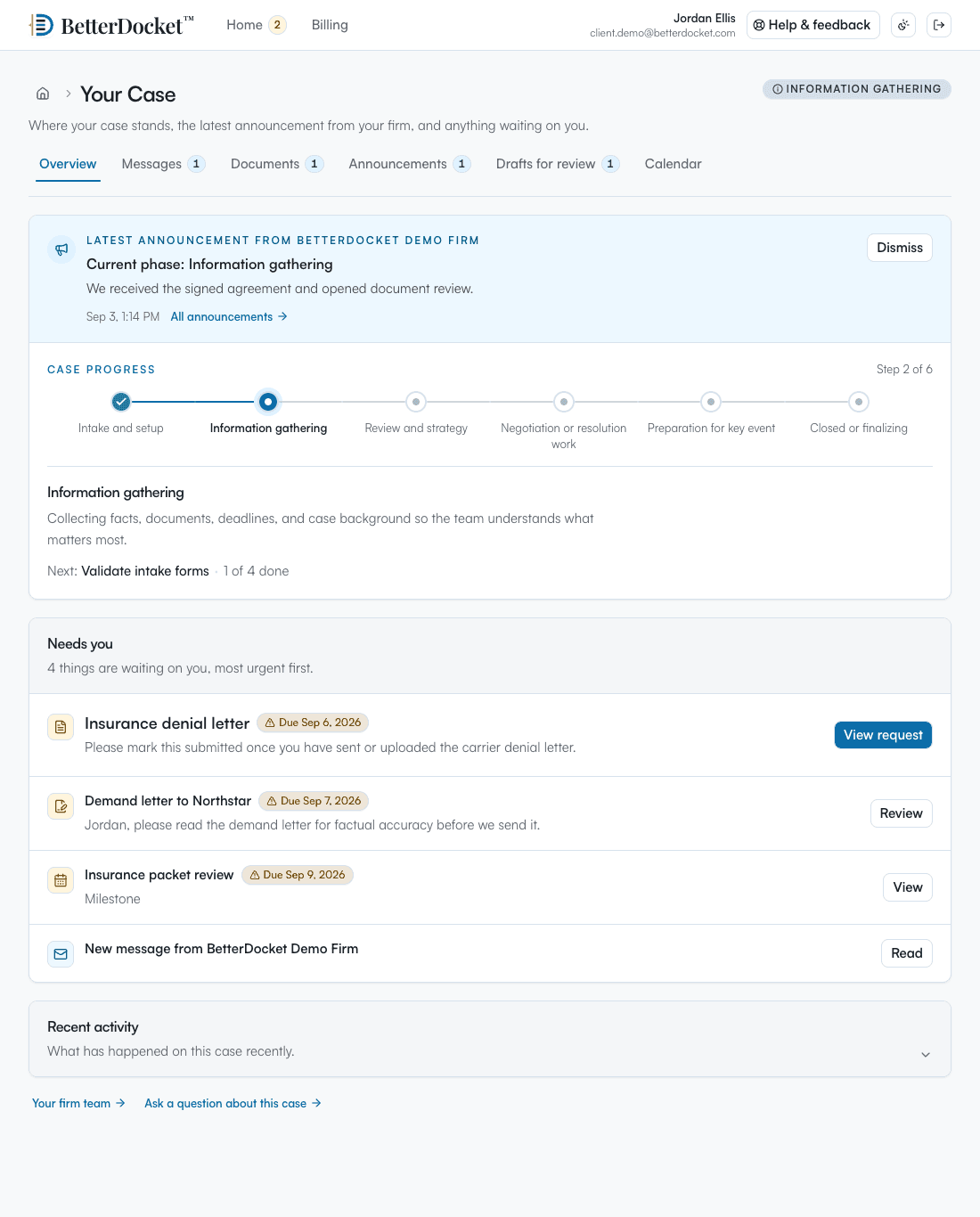
One private page in any browser: the current phase in plain English, the latest word from your Firm, the documents you have asked for, and what happens next. No app to install. Uploads work from a phone camera. Firm-only folders, notes, and drafts in progress never appear here.
Your case
From your firm · today
Title commitment received. Two items to clear; we expect them resolved by Friday. Closing remains scheduled for October 28 at 10:00.
What we need from you
Next step
Schedule your final walk-through with your agent for October 27. Bring your ID on the 28th.
Why it fits
The closing date is a Key Date on the Case. Change it once and every Client on the file sees the new one. No round of calls, no one holding the old date.
What the client owes your office is a short list with due dates and reminders. What arrives lands on the Case organized by request, not in a paralegal's inbox.
Add both buyers, or the seller and their spouse, as Clients. Everyone sees the same status and dates; each person's messages stay private. Ask one of them or both for a document.
High-volume closing practices open and close many matters a month. Each open Case is $1 per month prorated by day, with unlimited staff, and a closed Case archives automatically.
Deliberately focused
BetterDocket organizes the administrative work around a matter. The legal work, and the tools you already use for it, stay where they are.
Keep reading
Post one visible status update per milestone in a place clients can check themselves — a portal — instead of returning each call. Here is the playbook.
Read the guideMake every request itemized, visible, and self-reminding: one list the client can see, uploads that land in the matter, and automatic follow-up.
Read the guideTexting is fast but unmanageable; email is universal but untrackable; a portal is where case communication should live. How the three actually divide.
Read the guideOnly people you add as Clients on the Case can see it. Most firms keep the portal for the buyer or seller and communicate with the agent and lender the way they do today. Anyone you do add sees the same client-visible status, dates, and requests.
Edit the Key Date once. Every Client on the Case sees the new date in the portal, and the Firm's related tasks stay attached. Post a one-line Status Update if you want it in the feed as well.
No. It does not collect, hold, or move money of any kind. It issues invoices for your fee and records payments you receive elsewhere. Escrow and disbursement stay where they are today.
Opening a Case takes a name and a Client email; the template seeds the phases and tasks. Portal invitations go out automatically. Closing a Case is one click with a closing note, and it archives on its own.
Yes. Send it as a Draft Version for review. The Client approves, requests changes with a note or a marked-up copy, or flags that they want a call. Signing still happens the way you do it today.
Dates, requests, and updates the client can check without calling.
14 days. No card.